
New uNmINeD development snapshot is available for download!
Changes:
- (Minecraft) Added and fixed a lot of building block colors
- (Minecraft) Fixed Java Edition region loading issues that were occuring on some systems
- (Hytale) Added support for RocksDB world storage type (thanks to rocksdb-sharp)
- (Hytale) Map colors are now calculated based on in-game textures
- (Hytale / GUI) Added Hytale player markers
- (GUI) Added export functions to the block list panel
uNmINeD now uses different colors for each Minecraft stone type (basalt, diorite, andesite, etc.), and the color of stone and cobblestone blocks are now darker to better match the in-game color. Many other blocks now have a distinct color (gold, lapis, diamond, etc.). If you want to go back to the previous map colors, turn off the Natural stones, Masonry and Mineral blocks settings on the stylesheet sidebar tab.
Hytale support is still experimental. There may be bugs and crashes.
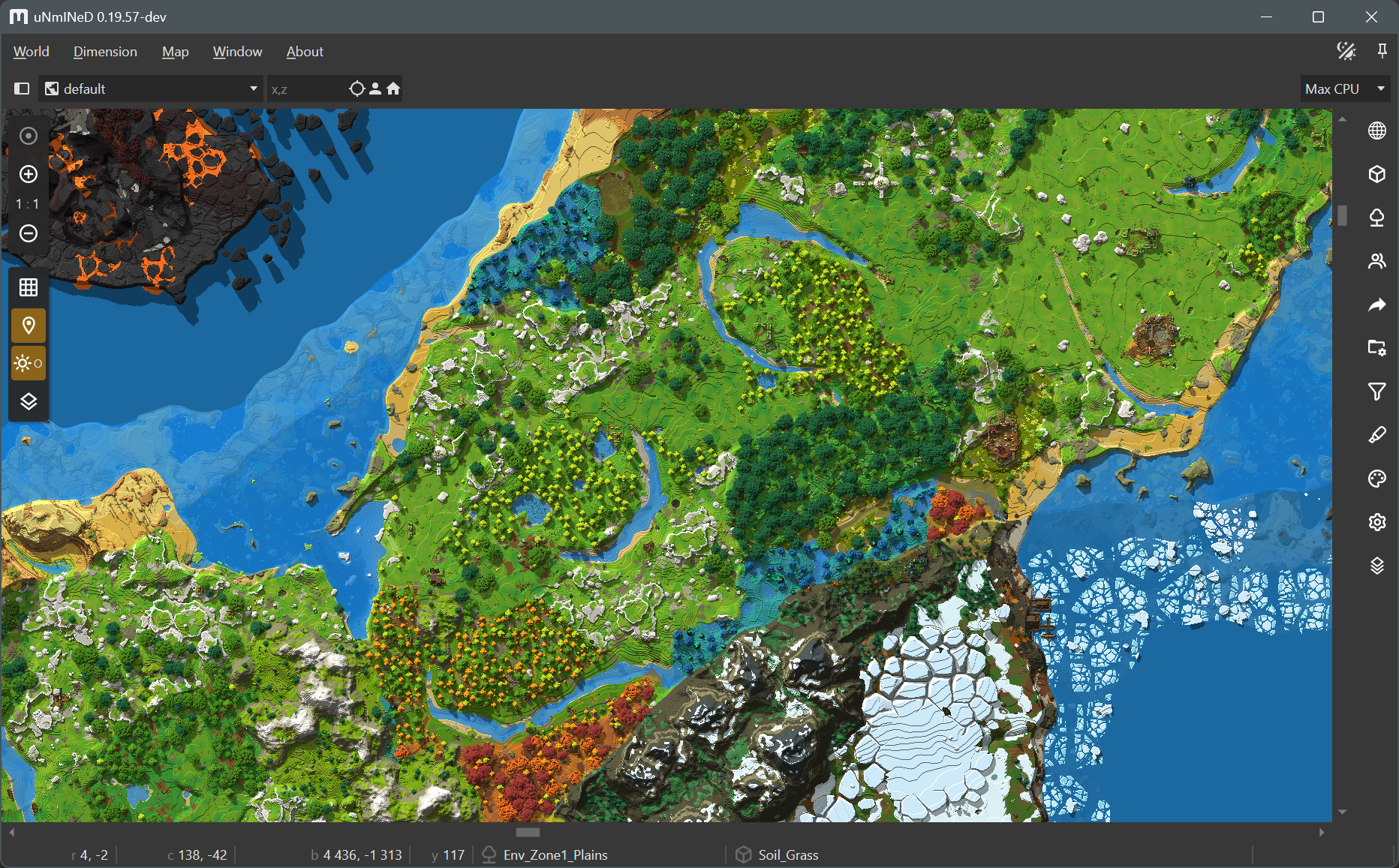
A Hytale world map rendered in uNmINeD:
How do i run the GUI unmined on linux?
you do not need to install anything, just download the tar.gz package (make sure to download the alpine/musl version if you have alpine linux), extract the package, and click on the executable called “unmined”.
I just want to say thank you because my 7 yo got lost in her minecraft world and because of unmined I was able to find where she build her base (+3000 blocks from spawn, little menace). She was inconsolable when she thought her stuff was gone forever, so this saved our weekend and my sanity.